

Description
Modernize Your Home with Tuya EU Standard Smart Light Switches
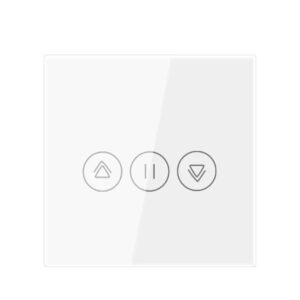
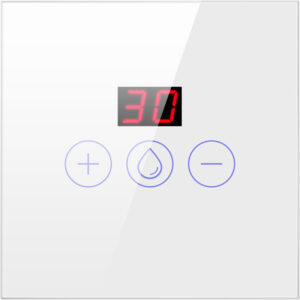
Upgrade your home lighting with the versatile Tuya EU Smart Light Switch. Available in both WiFi and Zigbee 3.0 protocols, this switch is designed to fit standard European backboxes and offers the ultimate solution for both new builds and old house renovations.
Key Features & Benefits
- No Neutral Wire Required: Our innovative No Neutral model is perfect for upgrading older homes without rewiring. Simply install and add the included capacitor.
- Dual Protocol Options:
- WiFi Version: Direct connection to your 2.4GHz router—no hub needed.
- Zigbee 3.0 Version: Requires a Tuya Zigbee Gateway. Offers superior stability, lower power consumption, and mesh networking capabilities.
- Remote & Voice Control: Manage your lights from anywhere via the Smart Life or Tuya Smart app. Enjoy hands-free convenience with Amazon Alexa and Google Assistant.
- Elegant Touch Design: Features a high-sensitivity tempered glass panel that is scratch-resistant, waterproof, and easy to clean.
WiFi vs. Zigbee – Which One Should You Choose?
Technical Specifications
- Standard: European Standard (86x86mm)
- Input Voltage: AC 100-240V 50/60Hz
- Load Power: 3-500W/Gang (No Neutral), 0-1000W/Gang (With Neutral)
- Material: V0 Flame Retardant PC + Tempered Glass Panel
- App Support: Tuya Smart / Smart Life APP
H2: Frequently Asked Questions (FAQ)
Q1: Can I install this if I don’t have a neutral wire in my wall box? A: Yes! Please select our “No Neutral” model. It includes a capacitor that you install across the bulb to ensure stable performance without a neutral line.
Q2: Does the Zigbee version work without a hub? A: No, the Zigbee version requires a Tuya Zigbee Gateway to connect to the internet and your smartphone.
Tuya Smart Light Switch (EU Standard) Installation & Setup Guide
Installing your Tuya Smart Switch is a straightforward DIY project. Follow this guide to get your WiFi or Zigbee 3.0 switch up and running safely.
⚠️ Safety First
- Turn off the main power at the circuit breaker before installation.
- If you are unsure about electrical wiring, please consult a qualified electrician.
- Ensure the load does not exceed the maximum rated power (usually 500W-1000W depending on the model).
-
Troubleshooting Tips
- Q: Why is my light flickering?
- A: For “No Neutral” versions, this is usually because the capacitor was not installed or was installed incorrectly. Ensure it is connected across the bulb terminals.
- Q: Why can’t I find the WiFi signal?
- A: Ensure your router is on 2.4GHz. Most smart switches cannot connect to 5GHz WiFi. Also, ensure the switch is within range of the router.
- Q: Does it work with two-way (multi-control) circuits?
- A: Yes, Tuya switches can achieve “Multi-control association” via the app settings, allowing you to link two or more switches to control the same light without physical wiring.
- Q: Why is my light flickering?